 Snoopy
Made by Dheeraj Meela ↗
Snoopy
Made by Dheeraj Meela ↗
A desktop cat that
remembers what you hand it.
Copy it, drop it, note it. Later, ask in plain words and get answers with the sources, all on your Mac.
Why Snoopy
Built for the moments every Mac user knows.
“Memory apps record my whole screen.”
Snoopy never records your screen. It keeps only what you hand it: a copy, a file, a note.
“I saved it somewhere… but where?”
Clips, files and notes land in one Bag. Press ⌥⌘K, type a few letters, and paste it.
“AI assistants make things up.”
Answers come only from your memories and show the source. If it isn’t saved, Snoopy says so.
“I don’t want my notes in someone’s cloud.”
The model runs on your Mac. No account, no sync, nothing uploaded.
“My clipboard manager kept my passwords.”
Passwords, API keys and card numbers are skipped automatically, and password-manager copies are ignored.
“By the time a note app opens, the thought is gone.”
⌥⌘N opens a note in a keystroke, typed or spoken, right next to the cat.
Everything you saved, one keystroke away
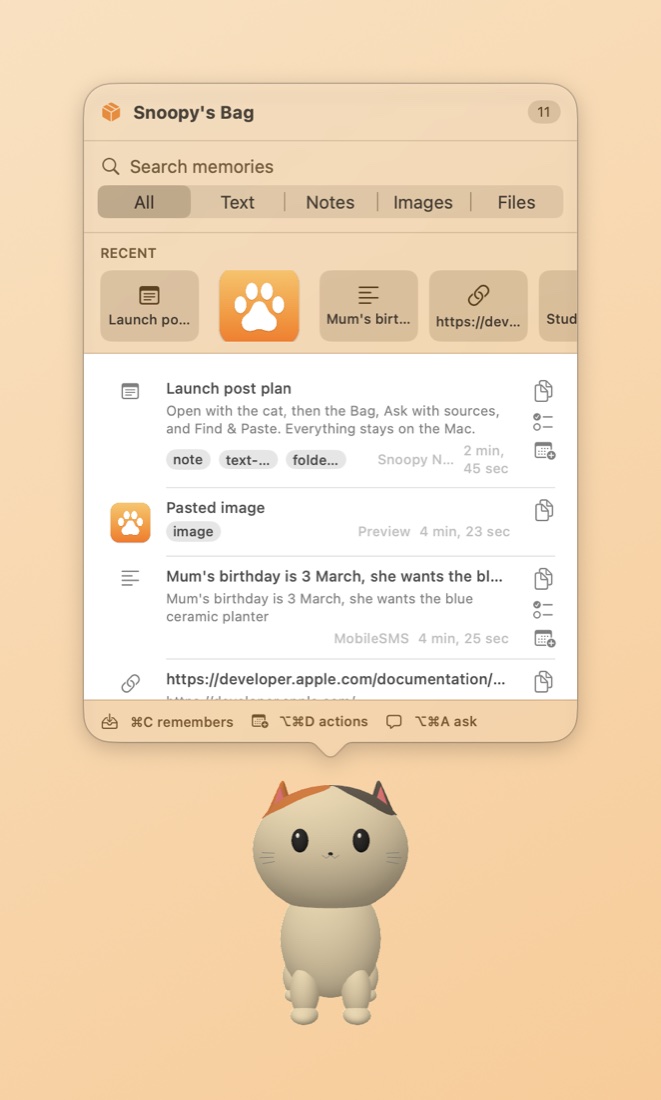
Hand it anything.
Copy text, drop a file or save an image. Snoopy keeps what you give it, and nothing it wasn't given. Passwords and keys are skipped automatically.
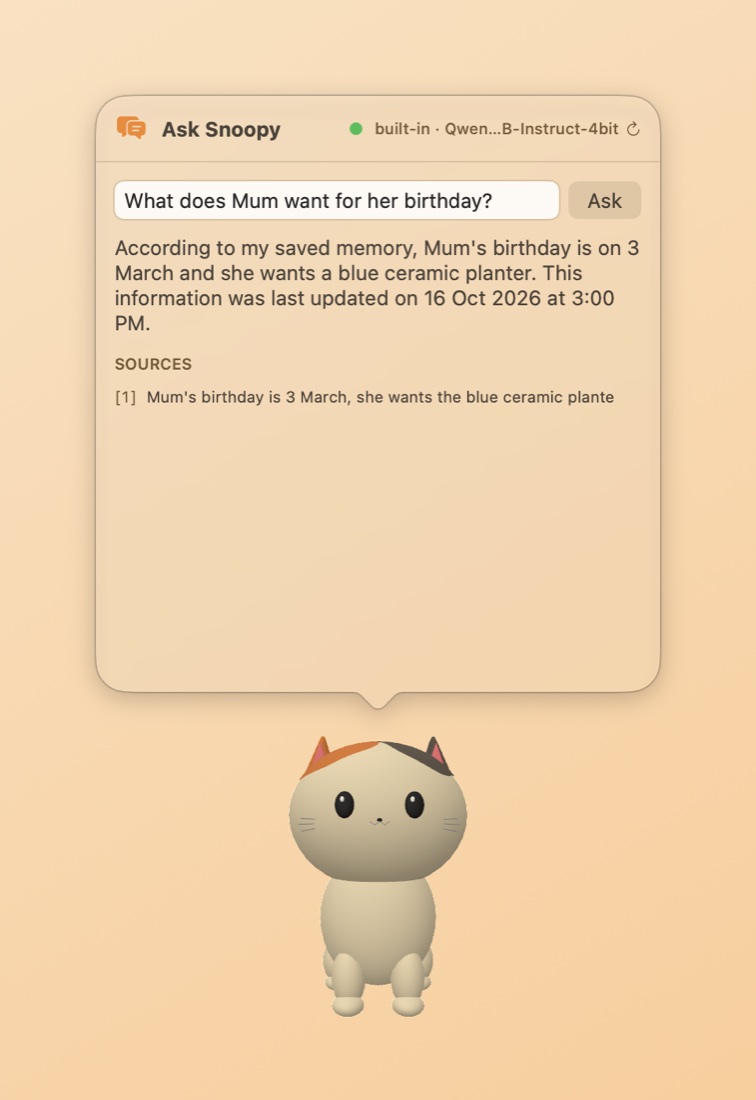
Answers with receipts.
Ask in plain words. A model running on your Mac answers only from your memories and shows exactly which ones it used.
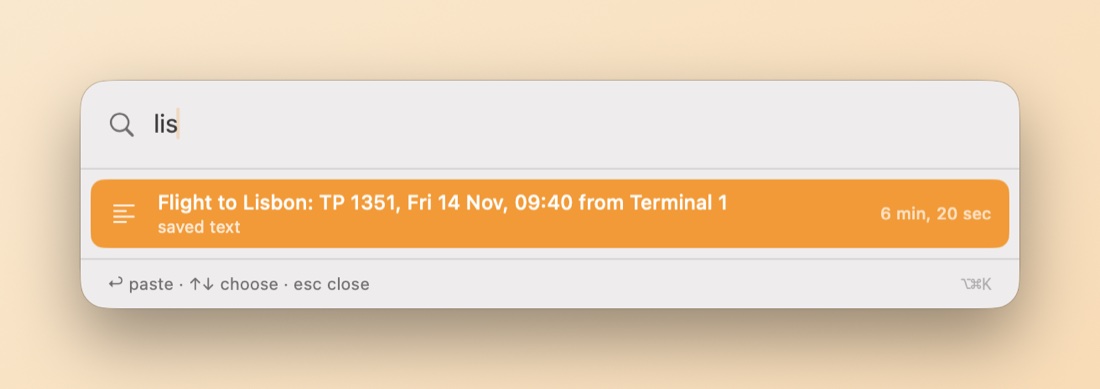
Find it. Paste it.
A Spotlight-style search over everything you've saved. Type a few letters, press Return, and it's pasted into the app you're in.
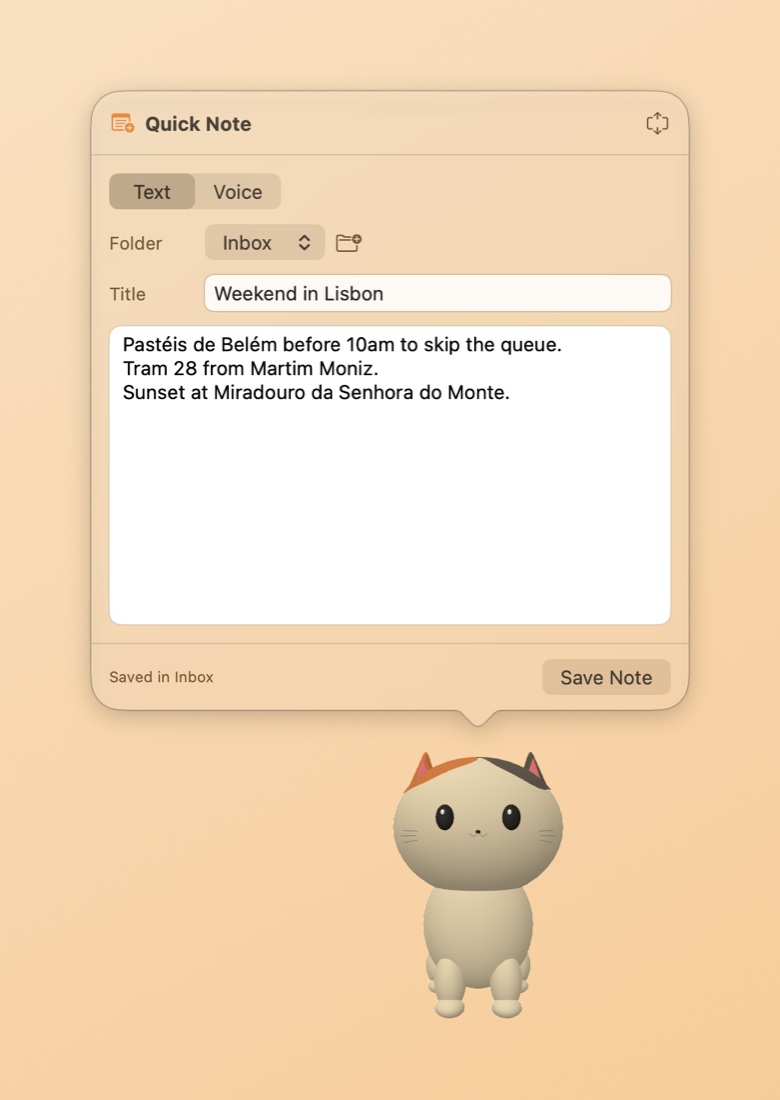
Notes in a keystroke.
Type or speak. Voice notes are transcribed on-device, and any note can be locked with Touch ID and encrypted on disk.
From note to plan.
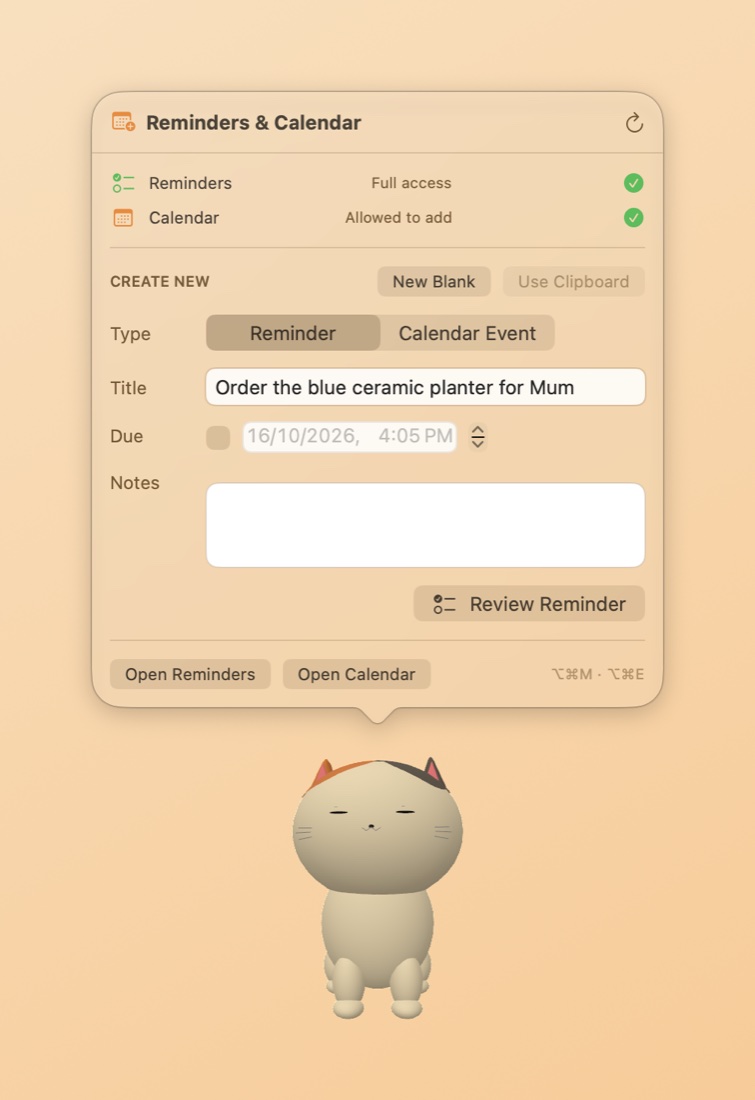
Turn a saved memory into an Apple Reminder or Calendar event, with the date picked up for you.
Also included
- Voice notesTranscribed on your Mac by Whisper.
- Locked notesTouch ID or passcode, encrypted on disk.
- Skips secretsPasswords, API keys and card numbers are never saved.
- Semantic searchFinds things by meaning, not just matching words.
- Smart nudgesSuggests a reminder when something has a date.
- Out of your wayClicks pass through the space around the cat.
- Full-screen awareSteps aside while you watch, present or play.
- Export everythingAll your memories as ordinary files, any time.